1.After successfully publishing the article
2.Or after entering the published article.
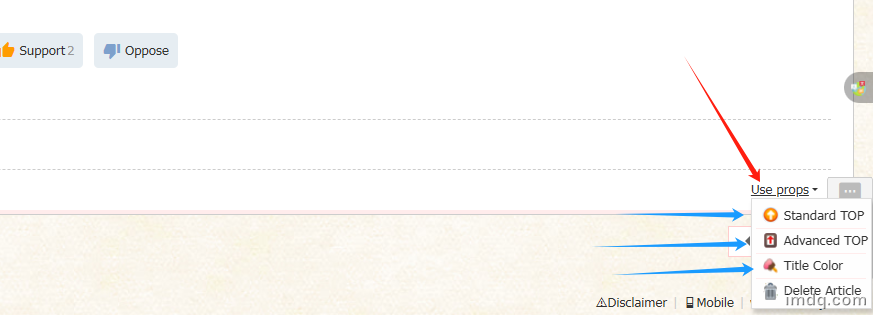
3.In the lower right corner of the article (bottom) there is a .
(As shown)
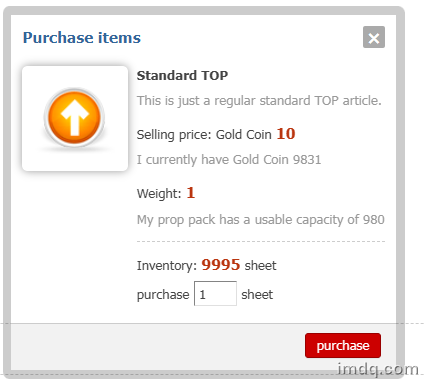
【1】Standard TOP
Buy one and pin it for one day.(As shown)
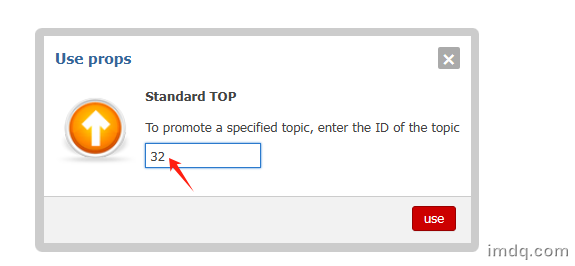
After purchasing, the next step will be to identify the article ID by yourself, just click OK.
(As shown)
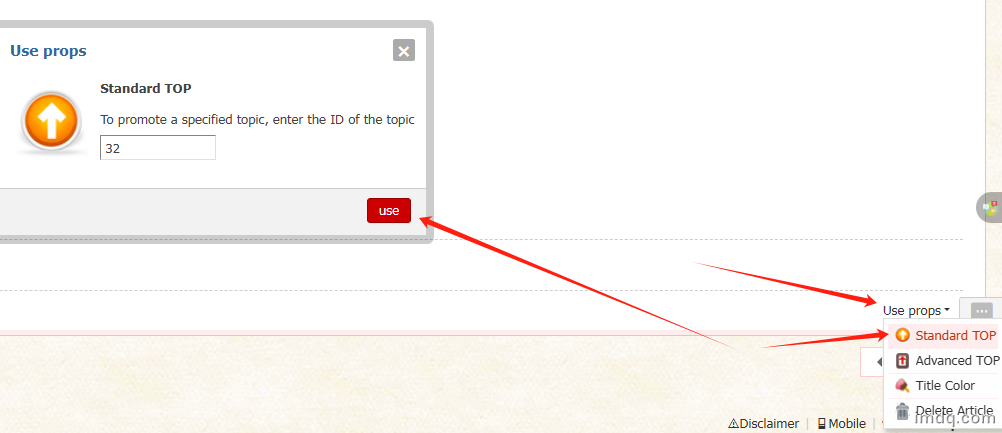
If you have already purchased the item:Use props→Standard TOP→Use→OK
(As shown)
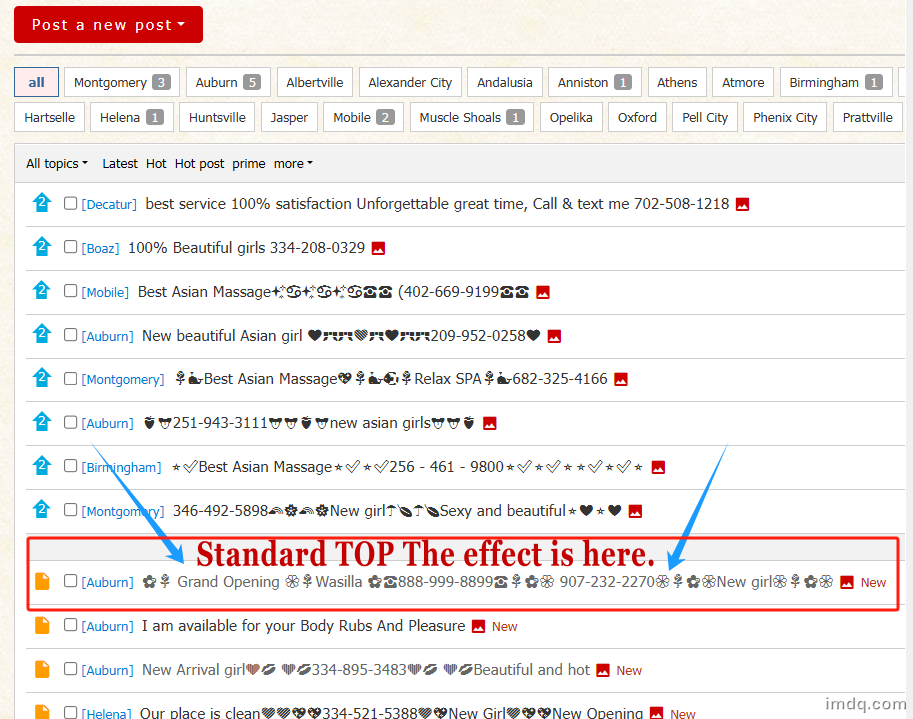
Standard TOP The effect is here.
(As shown)
Mention you saw this ad on massagespamap.com.
The most popular advertising publishing platform welcomes everyone to place.
 English
 简体中文
简体中文 繁體中文
繁體中文 한국 사람
한국 사람 日本語
日本語 Deutsch
 русский
 بالعربية
 TÜRKÇE
 português
 คนไทย
คนไทย french



 发表于 2026-07-27